Payroll
Payroll rules and pay items
Set how pay is pro-rated and rounded, who approves runs, payslip options, pay groups and your allowances and deductions. Statutory rates are kept up to date for you.
For: Payroll
Open Payroll › Payroll rules. The statutory rates (PAYE bands, NSSF tiers, SHIF, Housing Levy, NITA) are read-only and dated: Codisha updates them when the law changes.
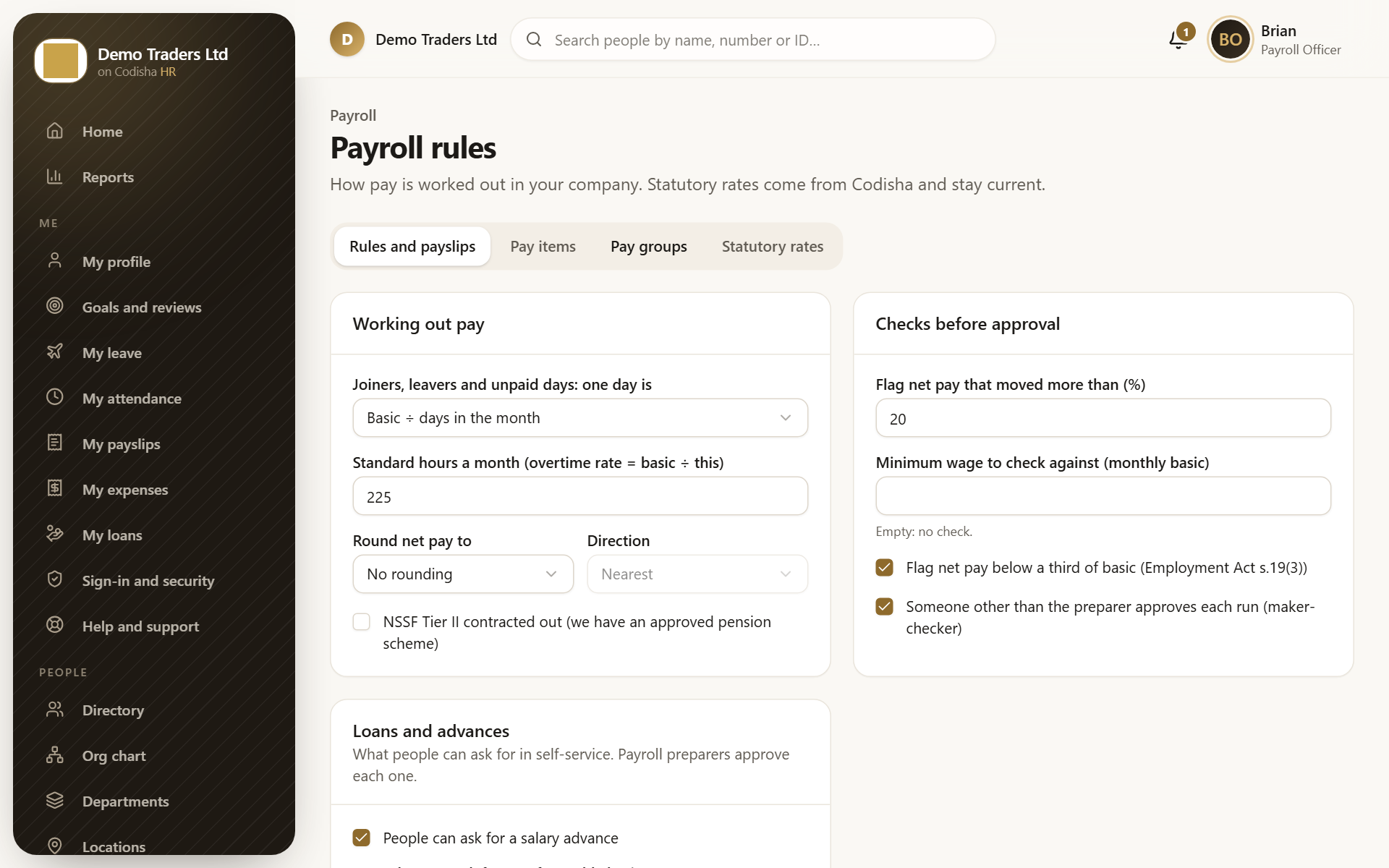
Rules
- Pro-rating for joiners and leavers: calendar days, working days or a fixed 30.
- Standard monthly hours for the overtime rate.
- Net rounding: none, or to 1, 5, 10, 50 or 100 shillings. People paid by M-Pesa or cash are always rounded to at least the shilling, because neither can pay cents; a Rounding line shows on their payslip.
- Second approver: on by default, so whoever prepares a run can't approve it. Switch it off if you run payroll alone.
- Warnings for a big change in net pay, pay below the minimum wage you set, and net pay below a third of basic.
- NSSF Tier II contracted out, if your company has an approved pension scheme.
Payslip options
Show employer costs, year-to-date totals and the leave balance; add a footer; choose the PDF password. It defaults to the person's national ID. Someone with no ID on file gets an open PDF.
Pay groups
Group people paid on the same schedule: monthly, weekly or daily, with a pay day. Everyone starts in the default monthly group.
Pay items
Allowances, benefits and deductions, with presets like house and commuter allowance, overtime, bonus, SACCO, HELB and staff loans. The editor shows only the switches that matter: for earnings, taxable, tax-free limit, pensionable and pro-rated; for deductions, before tax, relief and whether it tracks a balance. A used item can't be deleted: switch it off.