Paying and filing
Statutory returns: P10, NSSF, SHA, Housing Levy and NITA
Download each month's returns in the agencies' layouts, with your employer numbers ready to copy into iTax and the NSSF and SHA portals.
For: Payroll and finance
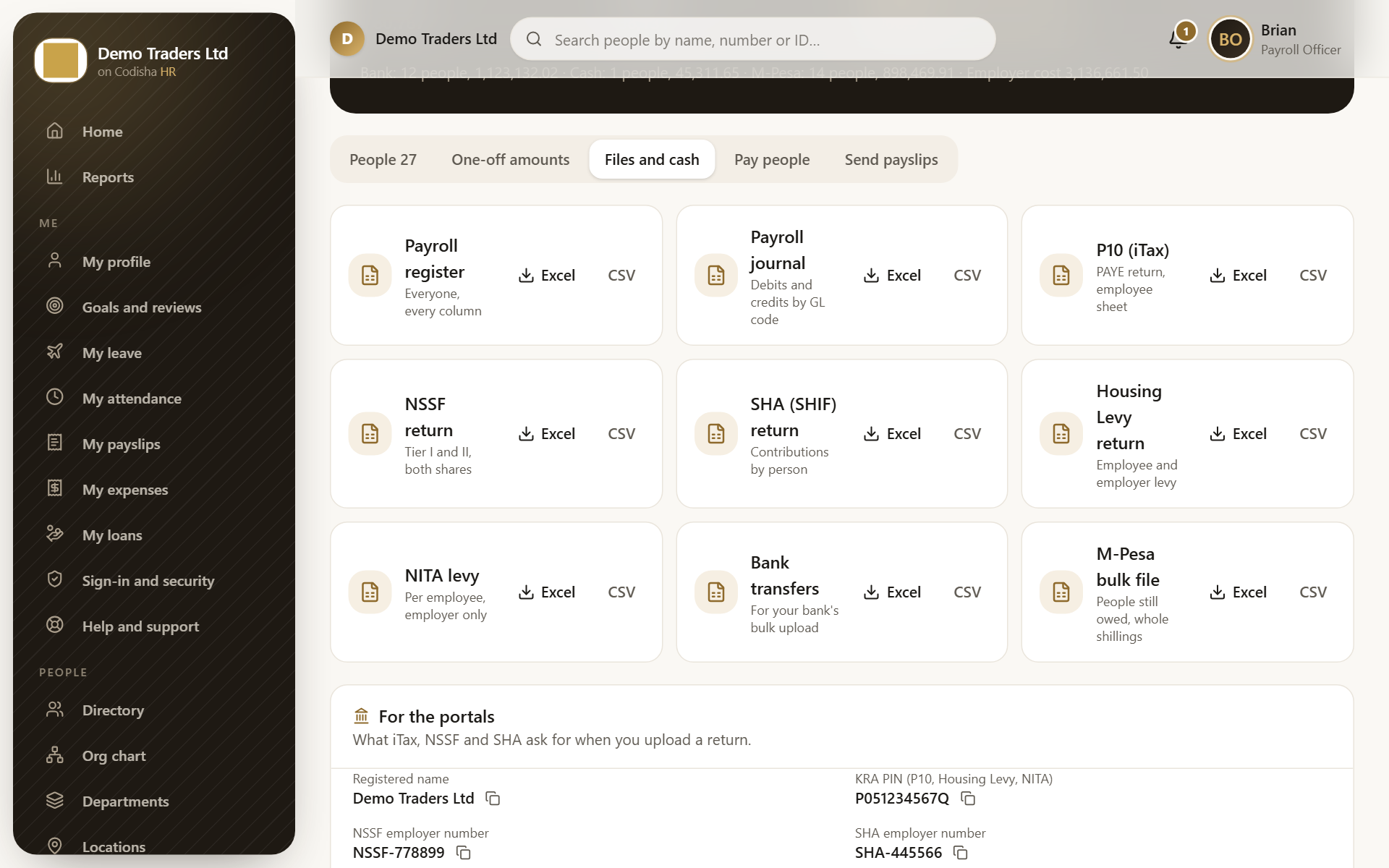
Open the run's Files and cash tab. Each file downloads as Excel or CSV:
- P10 (iTax): the PAYE employee sheet.
- NSSF: Tier I and Tier II, employee and employer shares.
- SHA (SHIF): contributions by person.
- Housing Levy: employee and employer levy.
- NITA: the levy per employee.
- Also the payroll register, the journal (debits and credits by GL code), the bank and M-Pesa files.
For the portals
Under the files, For the portals shows your registered name, KRA PIN, NSSF and SHA employer numbers and head office, each with a copy button. If one is missing, it links you to Company details or Locations.